













Managed IT Services in New Jersey

The Operational Foundation of Your IT Environment

Build Your IT Foundation

How STF’s Managed IT Model Works

Quick Answer: STF provides fully managed IT operations under a service-level agreement.  We proactively monitor your infrastructure 24/7, manage tickets through a structured help desk, maintain your systems on a defined schedule, and document everything so nothing is left to tribal knowledge.

24/7 Monitoring and Alerting

Every managed device in your environment — servers, workstations, firewalls, switches, access points, and critical applications — is monitored through our remote monitoring and management (RMM) platform. Monitoring runs continuously and is not limited to business hours.

Alerts are classified by severity and routed through automated triage before reaching an engineer. This means your team is not disrupted by informational noise, and critical issues are escalated immediately. Common alert categories include:

  • Hardware health (disk failures, memory thresholds, CPU bottlenecks)
  • Service and application availability
  • Security events (failed login attempts, unauthorized access, endpoint alerts)
  • Backup job success or failure
  • Patch compliance and update status
Stay Covered 24/7

Choose Fully Managed IT If:

  • check You're a business without internal IT staff.
  • check Your staff are being pulled away from the roles they were hired to do for IT.
  • check IT knowledge at your operation is siloed within one individual.
  • check You've outgrown break-fix support.
  • check You're business is scaling quickly.
  • check You work in a highly regulated industry like healthcare or financial services.
  • check You're recovering from a security incident.
  • check Your aging IT infrastructure needs a refresh.
  • check You need guidance on essential technology decisions.
  • check IT downtime has a direct impact on revenue.
  • check Your insurance carrier has strict cybersecurity requirements.
  • check Your leadership wants predictable IT costs.

Help Desk and Ticket Management

Support requests are submitted by phone, email, or through the STF client portal. Every request generates a ticket that is logged, categorized, assigned, and tracked through resolution. Nothing is handled informally, and nothing is resolved without documentation.

Tickets follow a structured escalation path:

  • Tier 1 — Initial triage and resolution of common issues (password resets, application troubleshooting, connectivity, printing, basic access requests). Target: resolved within the same session when possible.
  • Tier 2 — Issues requiring deeper investigation or systems-level access (server configuration, group policy changes, network troubleshooting, software deployment). Target: resolution or workaround within 4 business hours.
  • Tier 3 — Complex engineering work involving infrastructure changes, security incidents, vendor coordination, or multi-system troubleshooting. Target: scoped and communicated within 1 business day, with scheduled resolution as appropriate.

Response times are defined in your service-level agreement and tracked internally. We publish response metrics in your monthly reporting and review them during quarterly business reviews.\

Proactive Maintenance Schedule

Reactive support handles problems that reach your team. Proactive maintenance prevents problems from reaching them in the first place. STF maintains a structured cadence of maintenance activities across every managed environment:

  • Weekly: Automated patching for operating systems and core applications, backup verification, security scan reviews.
  • Monthly: Firmware updates for network devices, endpoint compliance audits, disk and storage health reviews, performance baseline checks.
  • Quarterly: Full environment health assessment, documentation audit, technology roadmap review with your point of contact, license and warranty tracking.
  • Annually: Comprehensive infrastructure assessment, budget planning review, disaster recovery test, and business continuity plan validation.

This schedule is not aspirational — it is tracked in our professional services automation (PSA) platform and reported to you on a regular basis.

Documentation and Knowledge Management

Every client environment is fully documented and continuously maintained. Documentation covers network topology, device inventory, user directories, vendor contacts, escalation procedures, application configurations, and administrative credentials stored in an encrypted vault. When an engineer works on your environment, they are not starting from scratch or relying on the memory of a colleague who may not be available.

Documentation is updated as changes are made — not retroactively, not quarterly, not when someone remembers. This discipline is what allows STF to deliver consistent support regardless of which engineer handles your ticket.

Work With Us

How Much Does Managed IT Cost? Pricing Factors

  • check User count:Per-user pricing is the most common model. More employees means more devices, accounts, and support volume.
  • check Endpoint count:Workstations, laptops, servers, mobile devices, and other managed devices. Some environments have more endpoints than users (multiple devices per person, shared workstations, kiosks).
  • check Number of locations:Multi-site environments require more complex network management, additional onsite coverage, and inter-site connectivity considerations.
  • check Infrastructure complexity: On-premises servers, hybrid cloud, virtualization, specialized applications, and legacy systems all add management overhead compared to a cloud-native environment.
  • check Security and compliance requirements: HIPAA, PCI, SOC 2, CMMC, and cyber insurance mandates require additional tooling, documentation, and ongoing attestation work.
  • check Service-level agreement (SLA) terms: Faster response times, broader coverage windows, and 24/7 support cost more than standard business-hours SLAs.
  • check Onsite support frequency: Businesses that require regular onsite presence (scheduled visits, dedicated technicians) pay more than those primarily supported remotely.
  • check Backup and disaster recovery scope: Data volume, retention requirements, recovery time objectives, and DR testing frequency all influence cost.
  • check Industry-specific needs: Regulated industries, manufacturing with operational technology, or businesses with specialized line-of-business applications often require deeper expertise and additional tooling.
  • check Current state of the environment: Onboarding a well-documented, modern environment costs less than stabilizing a disorganized one. Heavy remediation work may be billed separately from ongoing managed services.

What’s Included in Managed IT Services?

Managed IT covers the operational components that keep your environment running day to day. Each area below is included in every STF managed services agreement.

Help Desk Support

The STF help desk is your team’s first point of contact for IT issues. We handle support by phone, email, and remote session with a documented escalation path for issues that require deeper engineering resources.

Help desk coverage includes troubleshooting for hardware and software issues, account and access management, application support, printer and peripheral issues, connectivity problems, and general IT questions. For issues that cannot be resolved remotely, onsite support is dispatched based on severity and SLA terms.

Our help desk is staffed by full-time engineers, not offshore call centers or automated chatbots. Your tickets are handled by people who know your environment, have access to your documentation, and can resolve problems without asking you to re-explain your setup.

Network Management

Monitoring and maintenance for your complete network infrastructure — firewalls, managed switches, wireless access points, VPN configurations, and internet connectivity. Network management ensures your environment is stable, properly segmented, and documented.

This includes real-time monitoring for uptime and performance, firmware updates and configuration management, network topology documentation, VLAN and segmentation design, and troubleshooting for connectivity and performance issues. For businesses with complex or multi-site networks, we design and maintain configurations that support secure communication between locations.

Endpoint Management

Standardized configuration, security policies, and ongoing management for every workstation, laptop, and mobile device in your environment. Endpoint management ensures that every device your team uses meets your security and operational standards — regardless of whether it is in the office, at home, or in the field.

This includes operating system and application patching, group policy management, mobile device management (MDM) for smartphones and tablets, disk encryption verification, and endpoint detection and response (EDR) integration. When a device falls out of compliance, we are alerted and take corrective action before it becomes a security risk.

IT Procurement and Lifecycle Management

Hardware and software purchasing, deployment, and replacement planning. We help you buy the right equipment at the right time, configure it to your environment’s standards, and retire it before it becomes a liability.

Lifecycle management includes warranty and lease tracking, refresh cycle planning (typically 3–5 years for workstations, 5–7 for servers and networking), procurement through vendor partnerships for competitive pricing, and standardized imaging and deployment so new devices are ready to use from day one.

Employee Onboarding and Offboarding

Account provisioning, device setup, and access management for new hires. When someone joins your team, they have a working device, proper credentials, application access, and security policies applied before their first day.

Offboarding is equally structured: account disablement, device retrieval, data retention per your policies, and access revocation across all systems. Secure offboarding is not just good practice — for businesses in regulated industries, it is a compliance requirement. Our offboarding checklist ensures nothing is missed.

What Working with STF Looks Like

1

Phase 1: Discovery and Assessment

Phase 1: Discovery and Assessment

Before onboarding begins
Every engagement begins with a thorough assessment of your current environment. We meet with leadership to understand business goals, risk tolerance, and technology priorities. We then audit your infrastructure — servers, endpoints, cloud systems, networking, backups, and vendor relationships — and document what exists, what is working, and what needs attention.

The output is a prioritized findings report that becomes the foundation for your IT roadmap. This is not a sales exercise — it is the same assessment process we use with every client to establish a baseline and build a plan.

2

Phase 2: Onboarding and Stabilization

Phase 2: Onboarding and Stabilization

First 30–60 days
Onboarding typically takes two to four weeks, during which we deploy monitoring agents, security tools, and backup configurations across your environment. We migrate service desk operations, assume vendor relationships, and establish support procedures with your team.

The first 30 to 60 days focus on stabilization: resolving inherited issues, closing security gaps identified during discovery, standardizing configurations, and building the documentation foundation. You receive weekly status updates during this phase so you have full visibility into what is being done and why.

3

Phase 3: Optimization

Phase 3: Optimization

60–90 days
Once the environment is stable and documented, we shift focus to optimization. This includes refining monitoring thresholds to reduce noise, implementing automation for recurring tasks, addressing infrastructure improvements identified during discovery, and aligning your environment with the technology roadmap.

Ticket volume typically decreases during this phase as proactive maintenance and standardization take effect. Your team should notice fewer disruptions and faster resolution when issues do occur.

4

Phase 4: Ongoing Management and Growth

Phase 4: Ongoing Management and Growth

90 days onward
Ongoing management is the steady state: continuous monitoring, proactive maintenance, responsive help desk support, and regular strategic reviews. You receive monthly reporting on ticket volume, SLA performance, security posture, and environment health. Quarterly business reviews bring leadership and STF’s team together to evaluate progress against the roadmap, adjust priorities, and plan for upcoming changes.

As your business grows — new employees, new locations, new applications, new compliance requirements — your managed IT engagement scales with you. The agreement is structured to accommodate growth without requiring a complete renegotiation every time your headcount changes.

Work With Us

Commitment to Customer Services

I have had the opportunity to work with STF Consulting for over ten years, and the partnership continues to this day. Their professionalism and expertise in the IT sector are unmatched. From the initial consultation to the implementation of solutions, the team demonstrated a deep understanding of our needs and provided tailored strategies that truly enhanced our operations.

What has stood out to me is their commitment to customer service. Everyone is responsive, knowledgeable, and always willing to go the extra mile to ensure we are satisfied with the services provided. Additionally, their proactive approach in identifying potential issues before they arose helped us maintain smooth operations without any disruptions or downtime.

Overall, I highly recommend STF Consulting for anyone seeking reliable and innovative IT solutions. Their dedication to delivering quality service and fostering strong client relationships is commendable.

~ Laura P.

How Managed IT Connects to the Full STF Agreement

Managed IT is the operational core, but it does not operate in isolation. Every STF agreement integrates managed IT with cybersecurity, cloud services, backup and disaster recovery, and IT consulting. These services share infrastructure, tooling, documentation, and engineering resources — which means they reinforce each other rather than creating silos.

For example:

  • Cybersecurity depends on managed IT for endpoint management, patching discipline, and access controls. Security tools are deployed and maintained through the same RMM platform that manages your infrastructure.
  • Cloud services depend on managed IT for user provisioning, license management, and governance enforcement. Microsoft 365 administration happens through the same operational workflows.
  • Backup and disaster recovery depend on managed IT for backup agent deployment, monitoring, and recovery testing. Backup health is tracked alongside infrastructure health in the same dashboard.
  • IT consulting depends on managed IT for the data that informs strategic decisions. Roadmap recommendations are grounded in real ticket data, infrastructure assessments, and operational patterns.

This integration is the practical advantage of STF’s unified agreement model. You are not coordinating between multiple vendors who each have a narrow view of your environment. One team manages everything, with shared context and accountability.

See Where You Stand With an IT Health Consultation
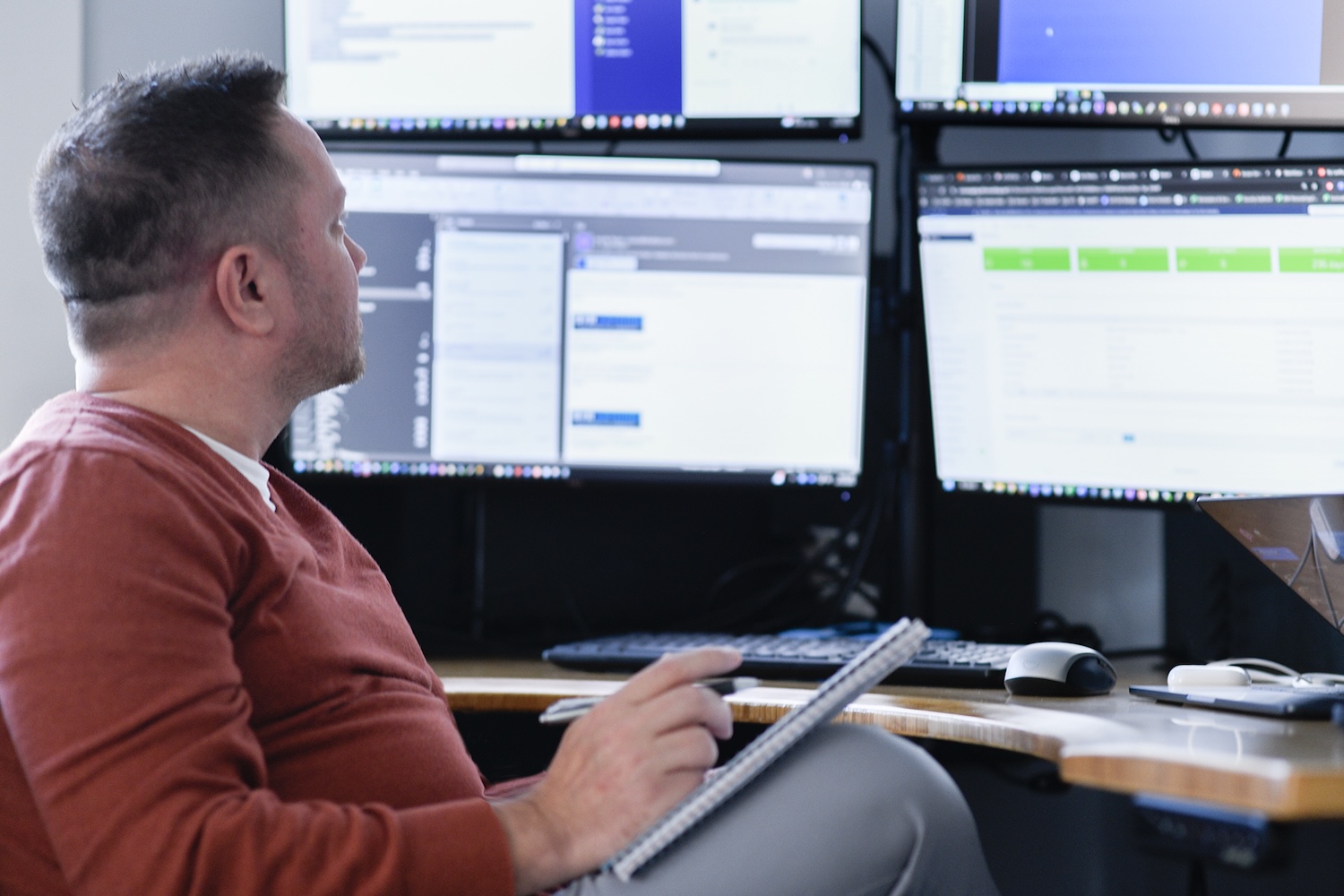
IT consulting team collaborating on network strategy in Fair Haven NJ office

Managed IT Services FAQs

Onboarding typically takes two to four weeks. This includes documentation, access setup, deploying monitoring and security tools, and establishing support processes. Complex environments or transitions from poorly documented providers may take longer. The first 30 to 60 days focus on stabilization before we shift to optimization.

Yes. Most support is handled remotely for faster resolution, but we provide onsite support for hardware issues, infrastructure work, and problems that require hands-on troubleshooting. Our primary service area covers Monmouth County, Mercer County, Essex County, and Bergen County, with the fastest onsite response times within our core coverage area.

Yes. We support fully remote and hybrid teams with secure remote access, cloud management, endpoint management, regardless of device location, and end-user support. This is especially important for manufacturing and regulated industries that require consistent security and performance across distributed teams.

Yes. Our co-managed IT services are designed for organizations that have internal IT but need additional coverage, specialized expertise, or overflow capacity. We work alongside your team rather than replacing them — handling specific responsibilities while your staff focuses on strategic priorities.

Onboarding follows a structured four-phase approach:

  1. Discovery and Assessment (pre-onboarding audit and roadmap development)
  2. Onboarding and Stabilization (first 30–60 days of tool deployment, vendor migration, and inherited issue resolution)
  3. Optimization (60–90 days of refinement and automation)
  4. Ongoing Management (continuous monitoring, support, and quarterly business reviews).

Weekly status updates are provided during the transition period.

We provide after-hours support for critical issues. Emergency contact procedures are established during onboarding, so your team knows exactly how to reach us when urgent problems occur outside business hours. After-hours support covers infrastructure failures, security incidents, and issues that prevent your team from working.

Most organizations see measurable improvements within 30 to 60 days once monitoring, patching, and standards are in place. Ticket volume typically decreases during the optimization phase (60–90 days) as proactive maintenance takes effect. Larger cleanup and infrastructure roadmap work often takes 90 days or more, depending on your starting point.

Monthly reports cover ticket volume and resolution metrics, SLA performance, security posture summary, backup health, and environment changes. Quarterly business reviews bring leadership and STF together to evaluate progress against your IT roadmap, review budget, and plan for upcoming projects or changes. Reporting is designed to give you visibility without overwhelming you with data that does not lead to decisions.

Our IT Health Consultation reviews your current environment across infrastructure, security, compliance readiness, and operational efficiency. The output is a prioritized findings report with clear recommendations so you know exactly where to focus resources for the greatest impact.

Ransomware protection requires multiple layers: endpoint detection and response, email security, user training, access controls, patching discipline, and tested backups with immutable storage. No single tool prevents ransomware. Our approach focuses on defense in depth — reducing the likelihood of a successful attack while ensuring you can recover quickly if one occurs.

Partnering with Businesses in North and Central Jersey

STF Consulting is a trusted managed services partner to businesses across North and Central Jersey, helping to ensure safe, secure, and compliant IT environments structured to suit your industry and operational needs.

From our offices in Fair Haven, NJ, we serve several North and Central Jersey counties, including:

  • Monmouth County
  • Mercer County
  • Essex County
  • Bergen County


Get Started with Managed IT

If your current IT is reactive, undocumented, or held together by a single person’s tribal knowledge, it does not have to stay that way. Contact STF Consulting for an IT Health Consultation. We will assess your environment, identify what needs attention first, and show you what a structured, well-managed IT operation looks like.

Schedule an IT Health Consultation